I build websites for non-profits that the team can run

Sheet 01-06 — For non-profits

Multisite for chapters and programmes, donations, stories and reports — on a stack your communications team can edit without calling a developer.

Fig. 01-N — Operations circuit, multisite branchScale 1:1 · Module 24
ORIGIN · YOUR CLOUD · YOUR REGIONpushdeploycached html · tlsmediaprobeswebhooksqlnightlysnapshotschecksGITrepo · mainBUILDastro · static htmlEDGEcdn · tls · wafVISITORbrowserPAYLOADone cms · many sitesPOSTGRESdatabaseBACKUPSnightly · offsiteS3media · assetsMONITORuptime · ssl · errorsSITE · Achapter · programmeSITE · Bchapter · programme
one login ●site a ●site b ●shared design ●care ●
01 — What you get

The parts list

Part 01

Multisite, one login

A site per country, chapter or programme, sharing one design and one team of editors.

Part 02

Programme & story pages

Templates for programmes, stories, reports and events, so every page looks finished.

Part 03

Donations

Links to your existing donation platform, or a checkout built in — whichever your finance team prefers.

Part 04

Editors without a developer

Roles, drafts and previews. Volunteers and staff publish safely.

Part 05

Accessible by default

Readable on a cheap phone and a slow connection, keyboard and screen-reader friendly.

Part 06

Care

Hosting, backups and updates under the Care Package, so the site keeps going between grants.
02 — Proof

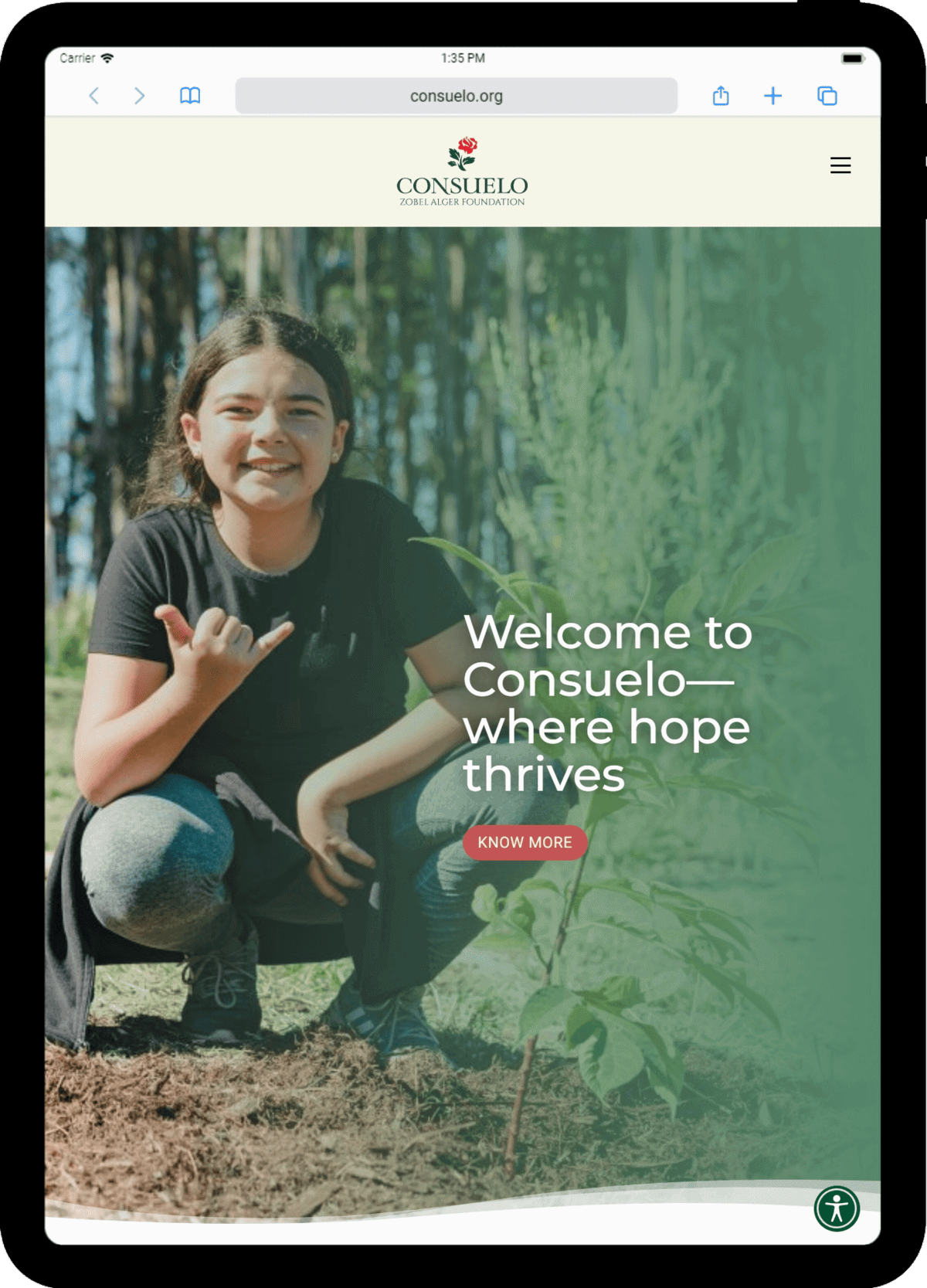
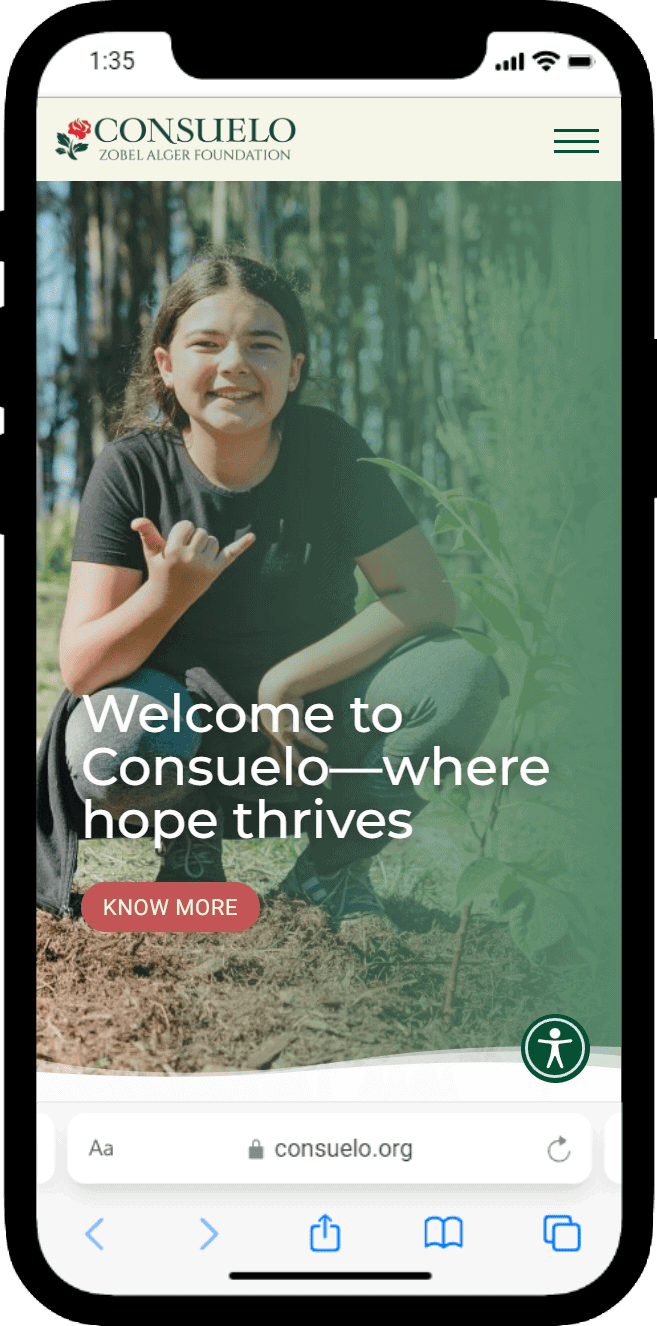
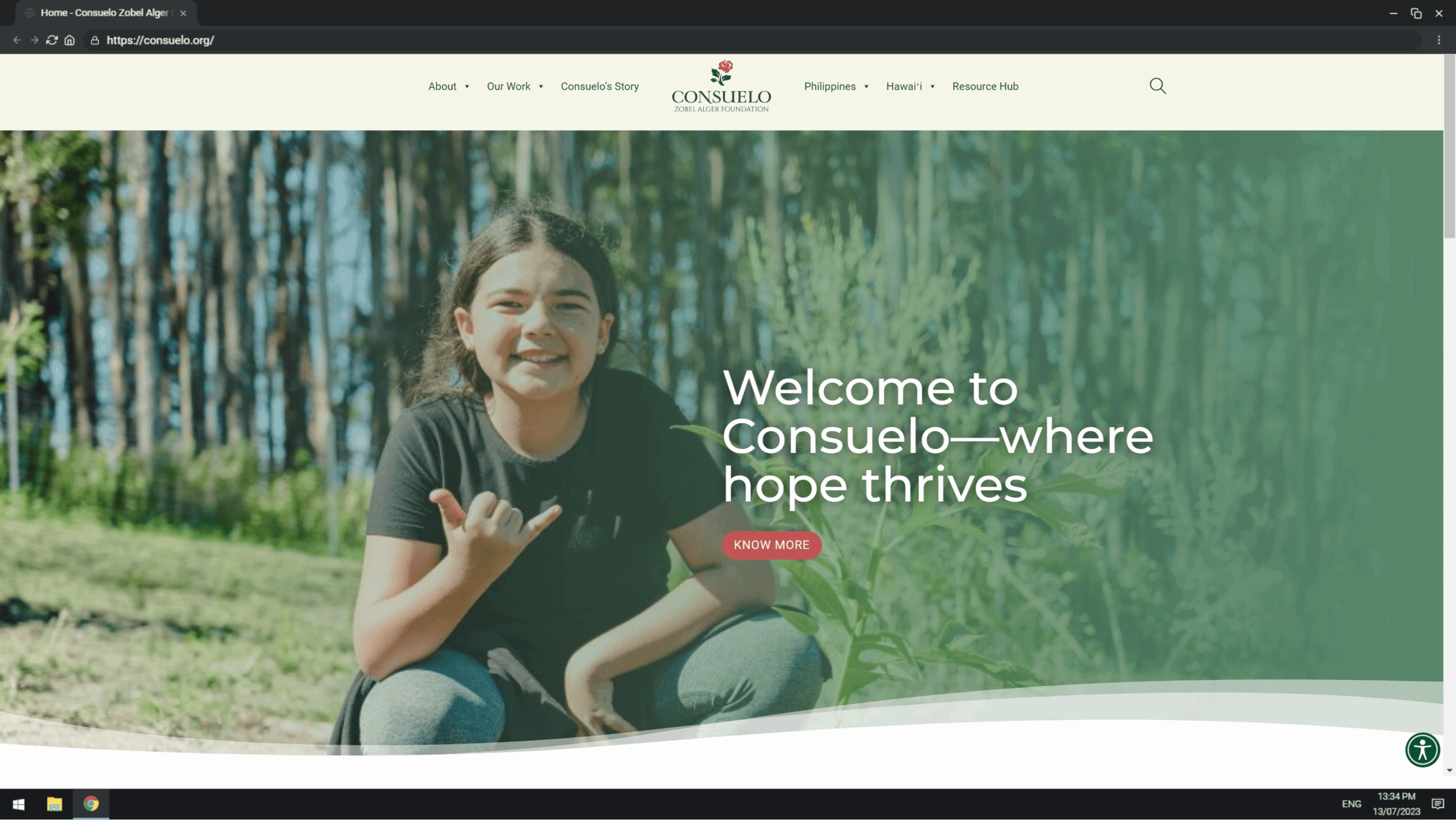
Detail A — a foundation rebuild

Consuelo Zobel Alger Foundation - desktop
Desktop · 1440
Consuelo Zobel Alger Foundation - tablet
Tablet · 834
Consuelo Zobel Alger Foundation - mobile
Mobile · 390
Case 01

Consuelo Zobel Alger Foundation

consuelo.org
2023
ACF · ACSS · Bricks Builder · WordPress · WordPress Multisite
→ The full sheet
03 — How it goes

Six steps, one dimension line

  1. 01Audit

    What you have, what it costs, what breaks.

  2. 02Content model

    Collections, fields, roles — agreed before any design.

  3. 03Design

    Drawn on a grid, approved on real content.

  4. 04Build

    Payload + Astro, or Bricks + ACSS when WordPress fits.

  5. 05Migrate & launch

    URL map preserved, redirects tested, DNS cut over.

  6. 06Care

    Hosting, backups, monitoring, updates — for years.

04 — Fit check

Is this the right sheet?

This is for you if
  • Your site was built by a volunteer or a past agency and nobody can update it.
  • You run programmes in several places and want one site per programme.
  • Your board wants reports and stories, not another brochure.
Not for you if
  • You need a fundraising CRM — I connect to one, I don’t replace it.
  • You need the site this month for a gala next week.
Can you take over a stalled build?
Yes — that is how the Consuelo project started. The audit says what can be kept.
WordPress or Payload?
Whichever your team will actually use. Both are covered by the same Care Package.
05 — Start a project

Tell me about the organisation and the site.

Tell me what you have and what it needs to do. I reply with questions, then a scoped quote — usually within a week.

What are you interested in?